D2 Survivors Act progression
Changing areas does not mean you have finished an Act. In this website’s fixed D2 Survivors build 20261020.1, Continue can keep your character’s level and skills while sending you back to the start of Act I.
Read the area and Act separately
Look at the top-right corner of the game. The area name, such as Cold Plains, sits above Act I · Normal. The clock is at the top of the screen. Keep these three pieces of information separate: a new area name, an Act number and elapsed time tell you different things.
Level-up choices interrupt play. Use the game’s displayed clock when comparing your progress, rather than the time you have spent with the browser open.
The areas you can encounter in Act I
Our runs in the fixed edition reached Blood Moor, Cold Plains, Stony Field, Dark Wood, Black Marsh and Catacombs, while the HUD continued to show Act I. Reaching another named area is progress within that Act; it is not evidence that you have unlocked Act II.
These are observed area names, not a minute-by-minute route or a promise that every run changes areas at the same moment. Keep moving around scenery and away from groups of enemies. If you are pressed against a tree, rock or building, change direction rather than continuing to push into it.
A named enemy is not automatically the Act’s final boss
Early Act I can announce named enemies. We observed “Bishibosh approaches” and a Bonebreaker nameplate while the area was Cold Plains and the HUD still showed Act I. A nameplate or arrival warning by itself does not confirm an Act clear.
Stay focused on the active fight and the game’s next prompt. This guide does not supply a tested Act-boss kill order, damage requirement or guaranteed build.
Where does Continue put you?
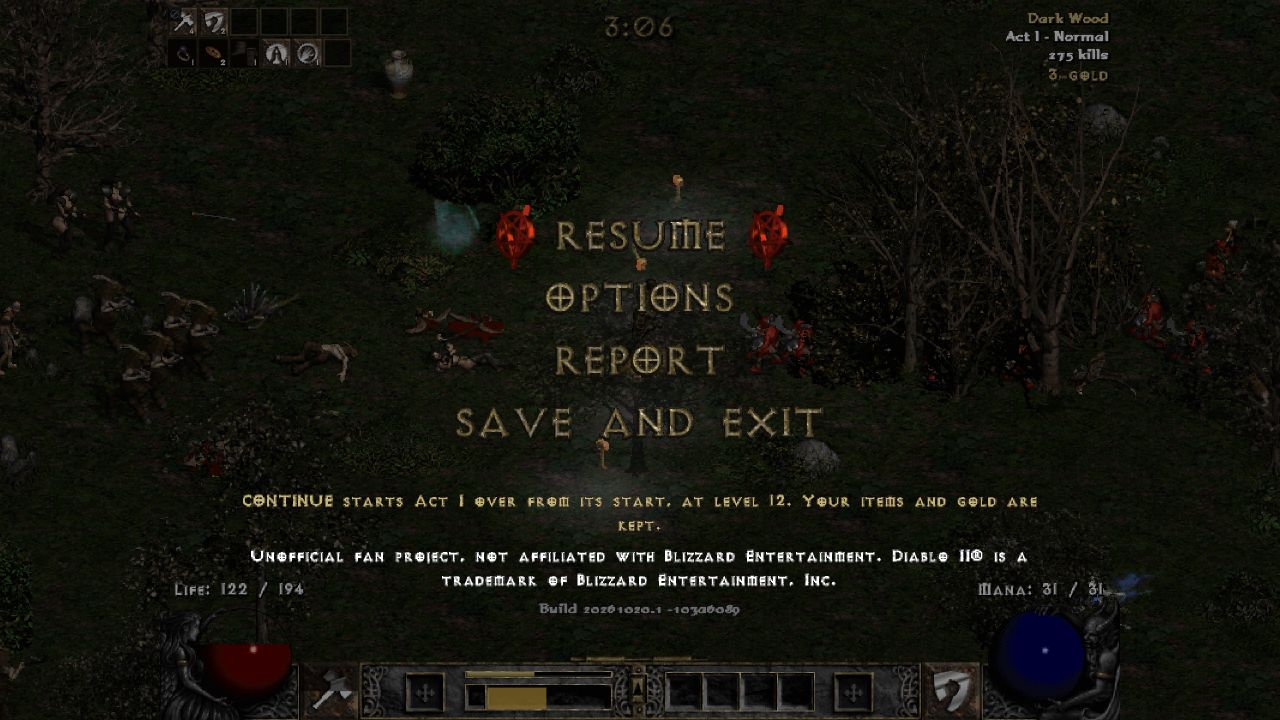
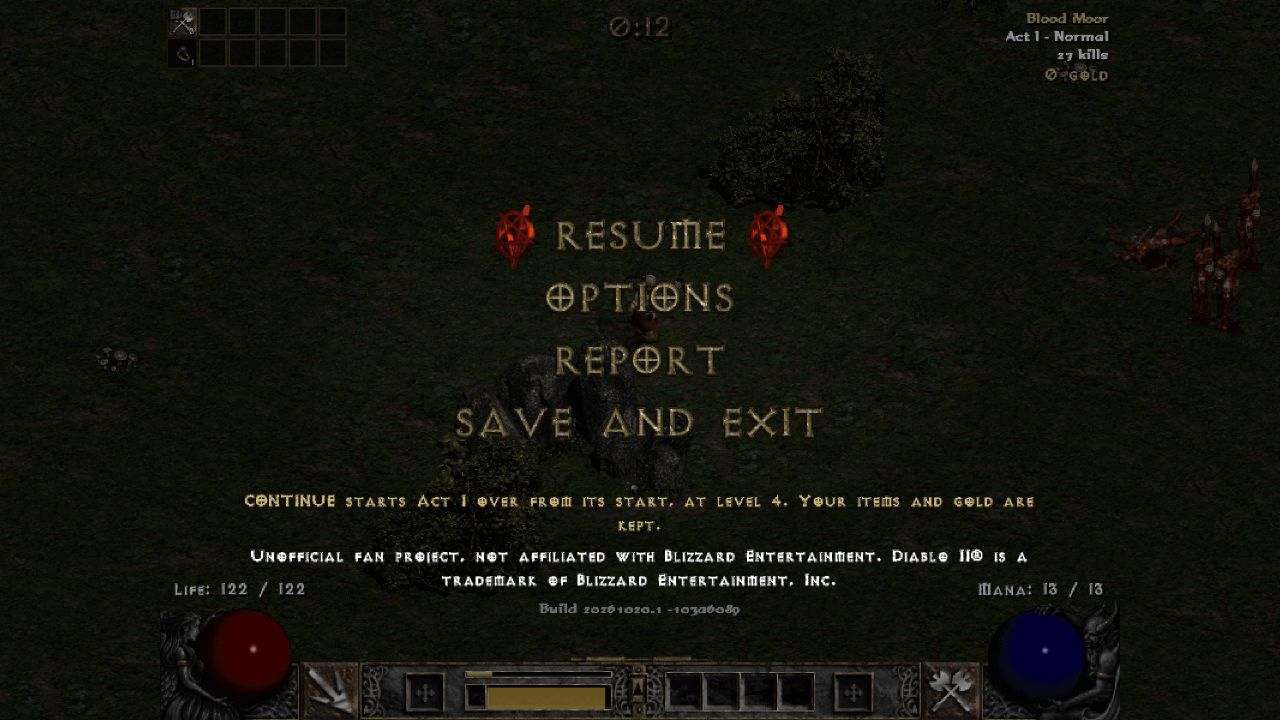
In our Act I checks, Save and exit → Continue retained the selected character’s level and learned skills, but restarted the Act in Blood Moor with its clock near zero. It did not return the character to the same area or the same moment in combat.
| Before leaving | After Continue |
|---|---|
| Level-4 Barbarian in Cold Plains at 1:19 | Level 4 with learned skills retained; Blood Moor at 0:12 when recorded |
| Level-12 Paladin in Dark Wood at 3:21 | Level 12 with the existing build; Blood Moor at 0:37 when recorded |
The seconds above are the moments recorded after re-entering, not loading times or fixed checkpoint timers. The character-selection prompt described the save as “Saved at the start of Act I”. The pause menu likewise said Continue starts Act I over from its start.
A fresh level-1 run also showed an “Act I is not saved” warning. Read the message for your own character; do not assume every new run already has a recoverable Continue checkpoint. For inventory gold, backups and storage limits, use the save-progress guide.
Before stopping a run
- Press Esc and read the saving message below Save and exit. Note the Act and level it names.
- Choose Save and exit and wait for the main menu.
- If you need a separate backup, open SAVES and export a file or code. Keep it private.
- Return in the same browser profile and on the same website. Select the saved character and choose Continue when offered. Check the retained level and skills before starting another run.
New Run is a different action. Do not choose it to troubleshoot a missing checkpoint. See the illustrated backup and transfer steps before importing or changing versions.
Can I leave immediately after defeating an Act boss?
We have not yet verified the fixed edition’s checkpoint after an Act boss is defeated, either before or after moving to the next Act. Do not assume that a boss defeat alone has saved the next Act. Read the pause-menu message and keep an export before leaving or experimenting with another version.
The developer’s later releases include a Continue fix concerning defeated Act bosses. Those notes are described in our version comparison; they do not establish how this older fixed edition behaves. A full Boss walkthrough and later-Act checkpoint instructions will need separate confirmation.
Version and sources
Published October 23, 2026 · Applies to the homepage’s fixed build 20261020.1 · 103a6089. Sources: the game’s HUD, pause menu, character-selection and SAVES screens during desktop browser play on October 22–23. The developer’s newer edition may behave differently.
What the hands-on checks cover
Local desktop Chromium, using the unchanged package served by this website and a separate test save. Observations include Act I areas through Catacombs, named-enemy prompts, Save and exit → Continue with Barbarian and Paladin, and same-version export/import through SAVES. Several runs ended in death. No Act boss was defeated, and Act II entry, post-boss recovery, later Acts, equipment persistence and phone play were not established by these checks. No combat data, clock or save code was edited.