Your first run.
Your first goal is simple: learn how to move, survive long enough to collect an item, and understand what you keep when the run ends.
1. Open the player and choose a character
Go to the homepage player and select Play D2 Survivors. Allow time for the title animation and assets to appear. Inside the game, enter Single Player and choose a character. Our basic test used Barbarian with Double Swing; this is a tested starting route, not a ranking of the strongest classes.
2. Learn movement before chasing upgrades
Click inside the game, then use W, A, S and D to move. Keep room to move around enemies instead of standing in a crowd to inspect menus. Use Esc to pause and return to the run. As your character levels up, read the upgrade choices presented by the current game and choose one that supports the attack you are using.
The first-run test reached level 4 with 29 kills. We have not verified every upgrade or evolution, so this guide does not promise a specific combination or damage breakpoint. See the controls reference if a key appears unresponsive.
3. Pick up and inspect equipment
Watch for item labels on the ground. The game describes click to pick up and right-click to equip. Open inventory with I and check which slot an item occupies before continuing. The game also describes Shift-click to sell; use it carefully, because selling is a different action from equipping.
In our persistence test, a Leather Armor drop was equipped and the character’s Damage Reduced value changed from 0% to 5%. That visible change gave us a meaningful way to check whether an item survived a reload.
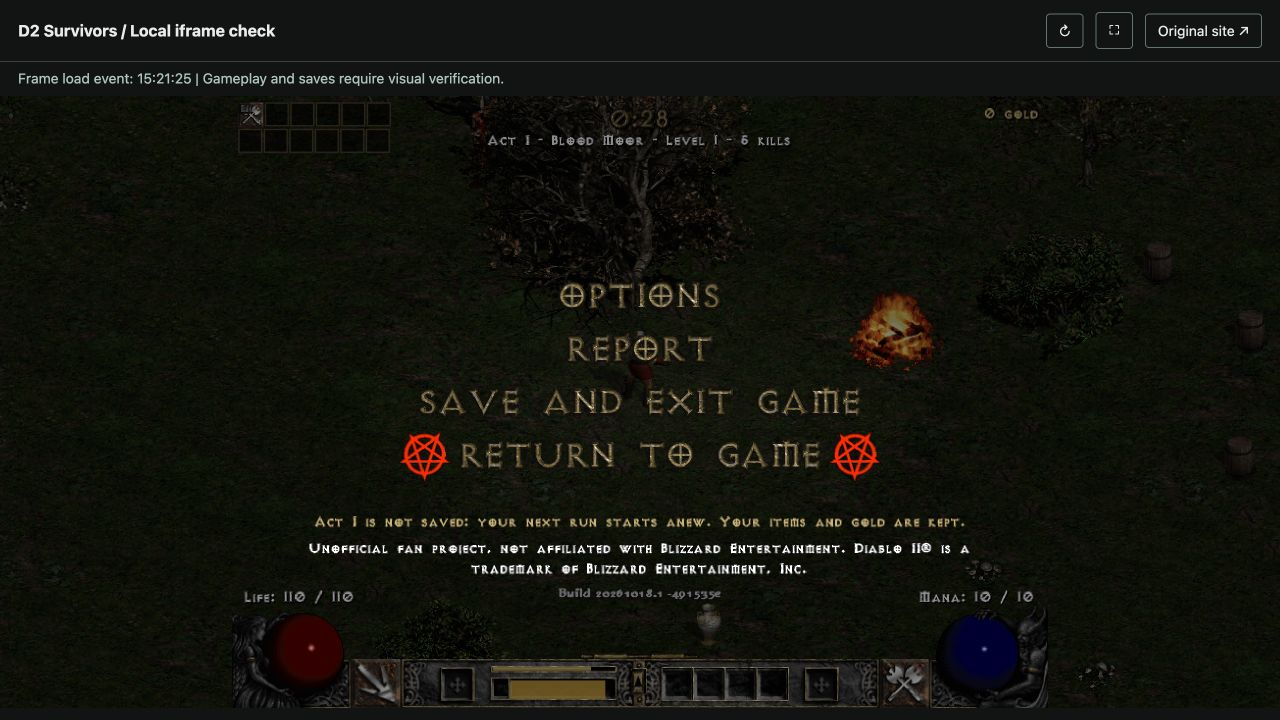
4. Use Save and exit before leaving
Press Esc and choose Save and exit game. In the tested Act I build, the game explicitly says run progress is not saved: a new run starts again while items and gold are intended to remain. We verified the equipped armor after an iframe refresh and a full local-page refresh. Nonzero gold and browser restart were not tested in that session.
Read what saves between runs before changing browsers, using private browsing or opening the original site. Keep playing in the same browser and site context when you want to preserve progress.
A sensible next run
Once movement, inventory and exit make sense, try another class and compare what you observe. Keep notes on the chosen skill, upgrade text and current build. Detailed class builds and evolution recipes will be published only after their conditions have been checked in this game.